
This post is (also) available in: NederlandsFrançais
Belga.press makes it easy to publish curated content to an intranet. This applies to articles within a board, label, live feed, or newsletter.
The principle is the same in each case. Using an optional feature found under ‘advanced’ in the preferences, you can generate a quick integration link yourself. Belga.press then immediately creates a URL containing the articles in JSON format—a format that is technically straightforward for developers to use. As an organization, you are free to display this information within the context of an intranet, a BI application, etc.
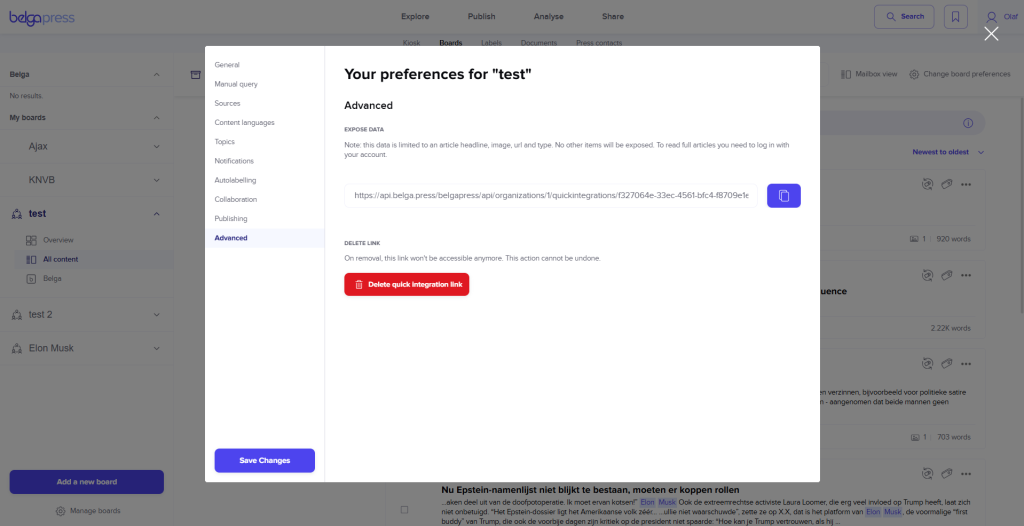
It is important to note that the content of this JSON file is limited to basic article information (date, (sub)source, title, logo, thumbnail, the first 150 characters of the content, language, etc.). To view the full article content, you must use the UUID (a field within the JSON) to link to the platform. Consequently, your readers can only read the article within the Belga.press platform.
Unlike Gopress, we provide output exclusively in JSON format (no longer RSS, HTML, etc.). If access to the full article is essential for your specific use case, you will need to request access to our full API. This API requires credentials and is granted only in exceptional cases following mutual consultation. Naturally, the UUIDs used to retrieve content from boards, labels, live feeds, or newsletters remain unchanged.
Whether you set up the integration using a board, label, live feed, or newsletter depends on your target audience. After all, every recipient must register with Belga.press to read the full content. To ensure your users do not encounter a paywall, use the live feed or newsletter integration whenever possible; this allows you to manage your readership and ensure everyone has the correct access. If all your recipients already have full access to Belga.press via a site license, you can also use the JSON feed from a label or board.
Further documentation on the JSON feed structure can be found here.

Here are a few examples to get you started:
Each JSON feed contains a maximum of 20 articles. As a developer, use ‘next’ to retrieve the subsequent items until you have fetched every article.

Important to know! A feed URL does not change. Even if you modify your search string or label name, for example, the link remains the same. However, for a newsletter, it is crucial that your curator uses our recurring feature. If they don’t, the UUIDs will change, meaning the new newsletter likely won’t be displayed because the system is still pointing to the old one.
Is your organization interested in this feature, or do you have questions about reader pricing? Get in touch at [email protected].