
This post is (also) available in: NederlandsFrançais
By clicking on …More in the bottom right-hand corner, you can access your profile.
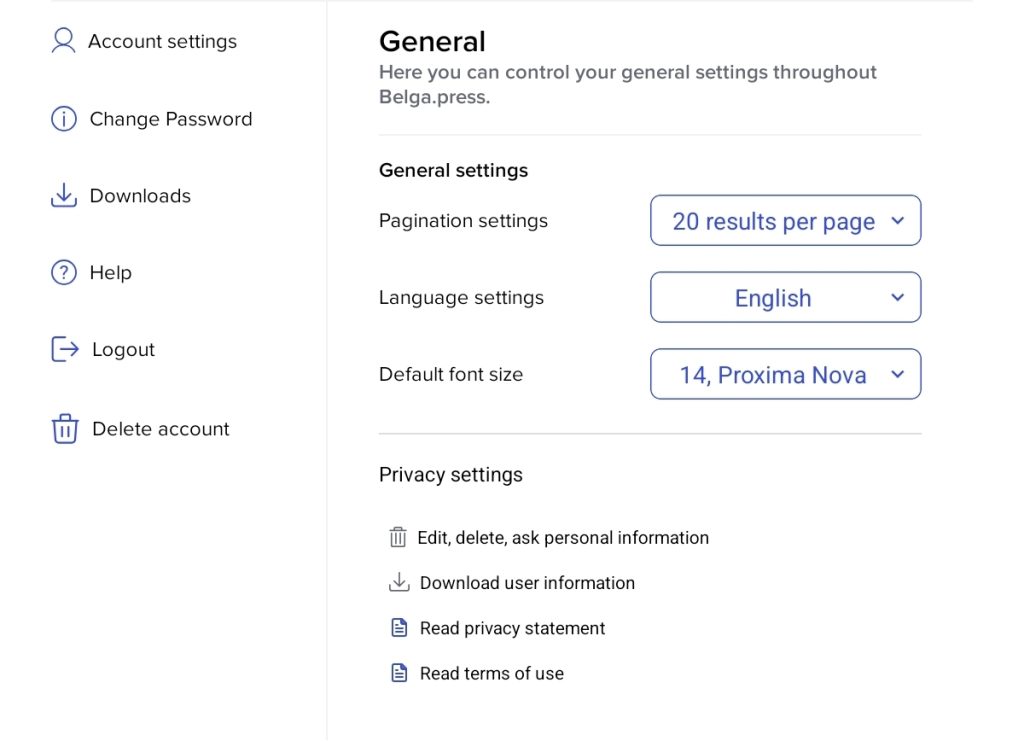
Account settings
Here you will find general information, ranging from page settings to language settings and your preferred font size. You can change these three settings in the blue small boxes on the right.
The privacy settings can also be found on this page, in the ‘Account settings’ section. There you will find, amongst other things, the privacy policy and the terms of use, as well as information on how to change or delete certain specific elements. You can therefore manage your notifications, your activity within the app and all security and privacy settings here. If you wish, you can contact us if you cannot find a clear answer on our product page or in this guide.
Change password
You will be redirected to the web version of Belga.press. When you log in again, you can change your password by clicking on the three lines in the top left-hand corner and selecting Signing in.
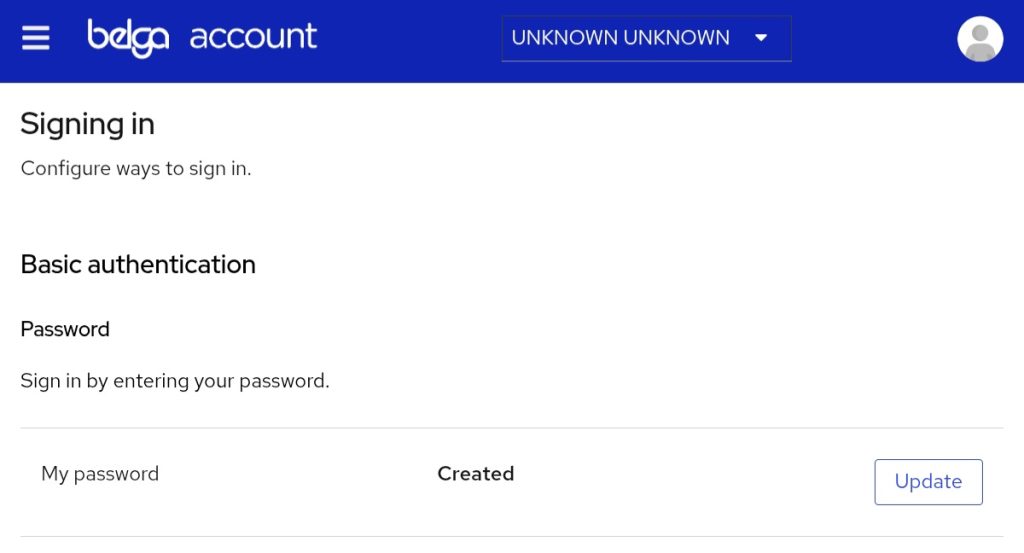
By clicking on Edit/Update, you can now change your password.
Don’t forget: your password must be at least 12 characters long!
Downloads
Newspapers and magazines can be downloaded. This allows you to read them whilst travelling or in places without an internet connection.
To download an article, go to Publications. Then click on a newspaper or magazine: you will see a download icon in the bottom left-hand corner. Downloading may sometimes take a little longer.
Help
You can easily access the Belga.press-tablet knowledge base by clicking on the Help button. In this overview, you will find a clear explanation of the available functions and how to find information for each specific section.
Log out and delete account
With just one simple click, you can easily log out or delete your account.
Please note: deleting your account is irreversible and will also delete all your personal data.