This post is (also) available in: NederlandsFrançais
Are you a journalist or do you work at a news desk?
Are you tired of the daily flood of press releases? Do you struggle to distinguish what is relevant from what isn’t? Do you waste valuable time searching for information?
Find out here how to create a newsroom, expand your reach, and receive only relevant press releases from now on!
- Showcase the best of your recent journalistic work and your archives.
- Get discovered by the right organizations, key figures, and press officers
You can start creating your own newsroom today. We are actively working on developing additional features, such as a personal signature for every post or a deep dive into a press release via our PR Lab.
Newsroom
Set up your personal newsrooms, get noticed, and expand your network with Belga.share!
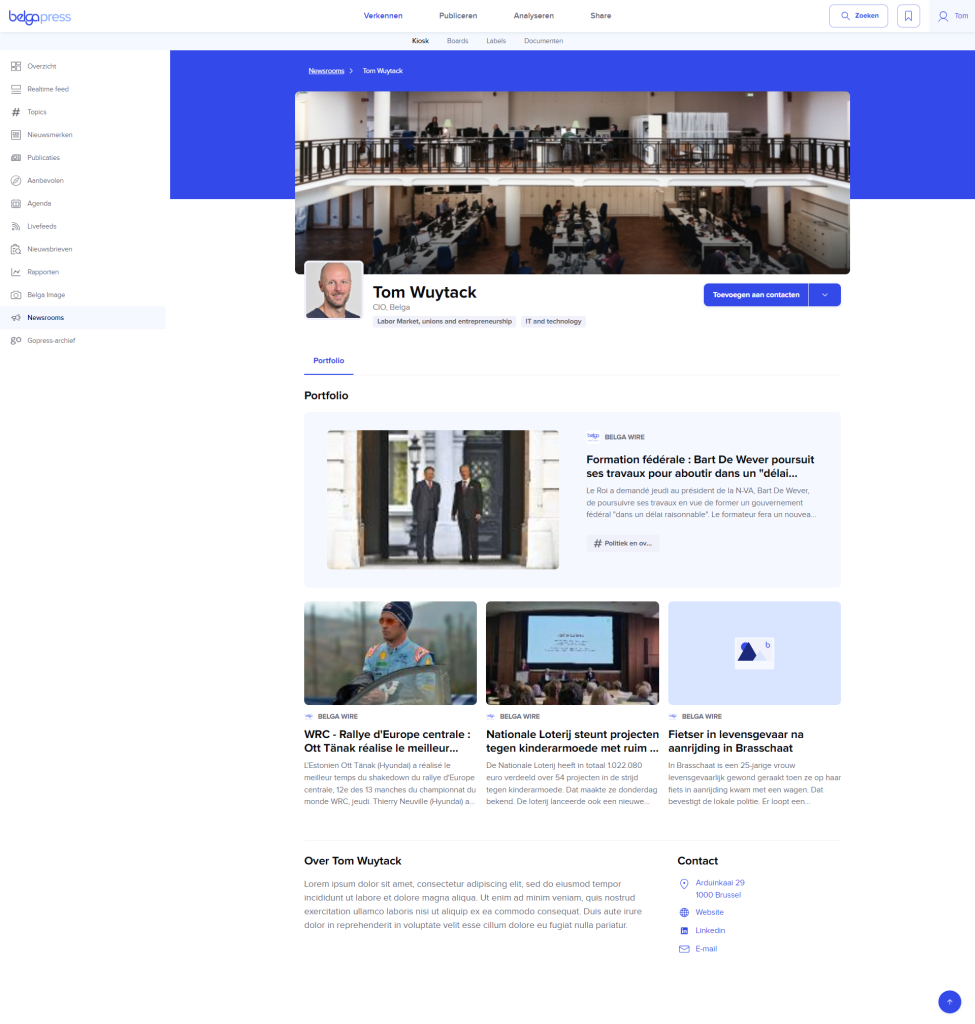
Create a newsroom featuring a cover image, an ‘About’ section, and relevant links. Easily add articles to your portfolio.
Publish it so that press officers and other interested parties can follow you and stay up to date with your reporting.
How?
We have made creating and managing a newsroom as intuitive as possible. Below, you can learn step-by-step how to work within a newsroom.
Creating a newsroom
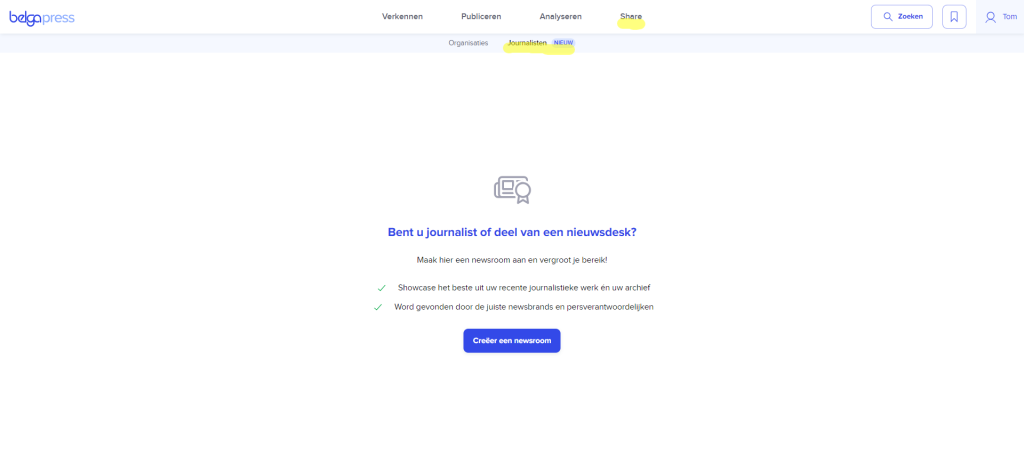
At the top of the menu, you will find the ‘Share’ item. Click on ‘Journalists’ and then on ‘Create a newsroom’. The wizard will guide you through the creation process.
Note: your newsroom is linked to a specific user. If your editorial team works with desks (e.g., politics, domestic news, economy…), please let us know at [email protected]. We can then help your team set up a separate newsroom for each desk.
Step 1: Accept the terms and conditions

Here, you agree to the Belga.press terms of use and, more specifically, the ethical guidelines.
Step 2: Set your name
Choose a name for your newsroom. It must be unique, as the name determines the source under which your press releases will be searchable via our search engine later on.
We have pre-filled this field with the information we already have on file.
Please enter your first name followed by your last name to ensure consistency across the platform.

Is your desired name no longer available? Please let our support team know at [email protected]. We will then check if you can still use it.
Step 3: Choose a brand
A brand allows you to design your newsroom according to your own corporate identity. To do this, select an available editorial brand from the list.

Note: Don’t see your brand listed yet? Let us know at [email protected].
Step 4: Select publisher and specify your role
Select the publisher you work for from the list and enter your role (e.g., political journalist).

Note: In a future version, you will also have the option to specify the news brands you work for.
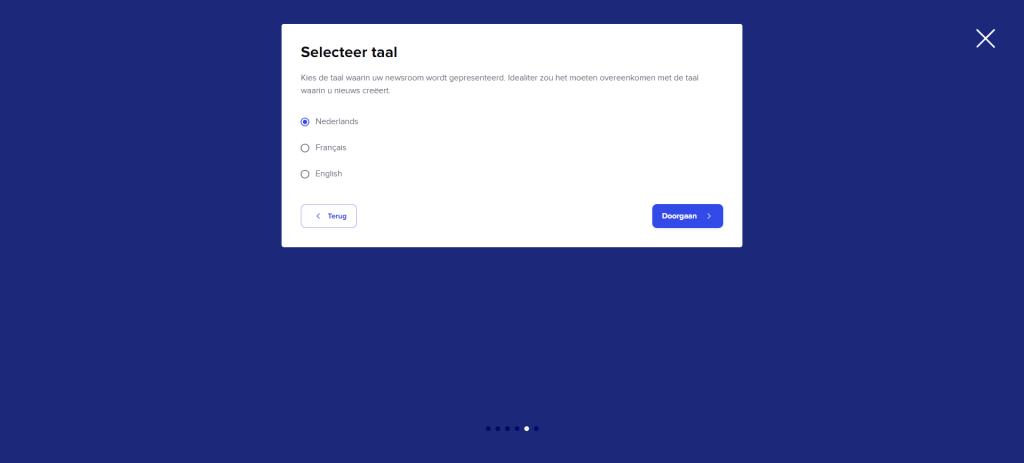
Step 5: Choose a language
Choose the language for your newsroom. You cannot change this later.
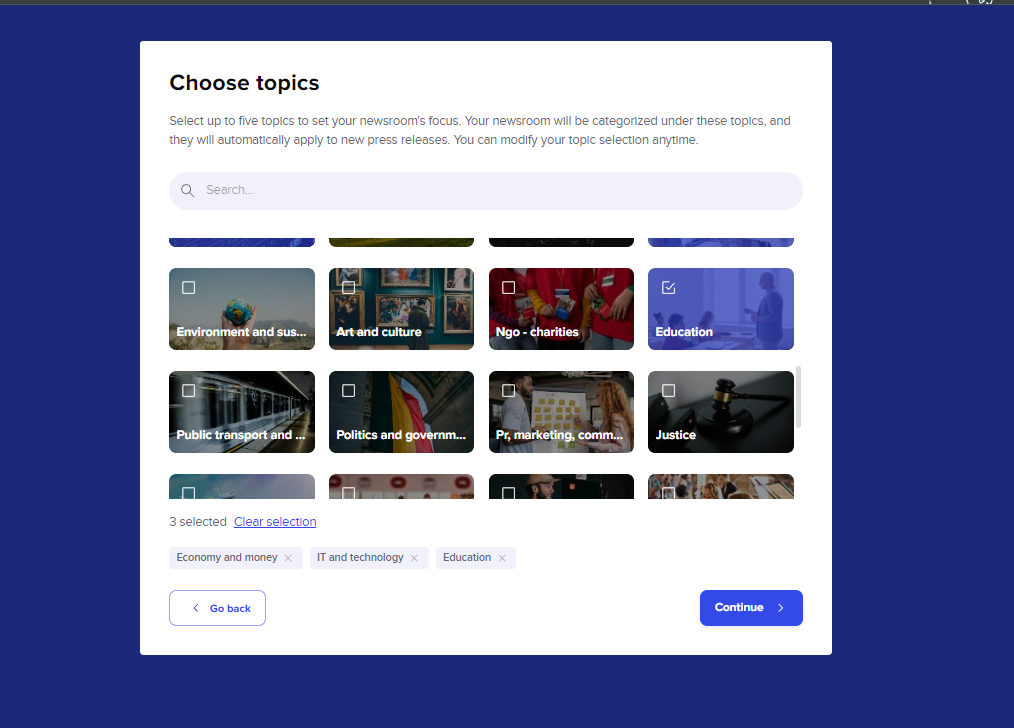
Step 6: Choose topics
At Belga.press, we categorize all messages into a select set of 38 topics. This helps our users follow specific subjects in a targeted way. For you as a journalist, this means indicating your areas of interest to others! This forms the basis for delivering the right press releases and press contacts to you. It is therefore in your best interest to select the topics that are relevant to you. You can choose up to five.
Your newsroom has now been created! We recommend that you first finish setting up your newsroom, as it is not yet live. To make it live, you first need to publish it.
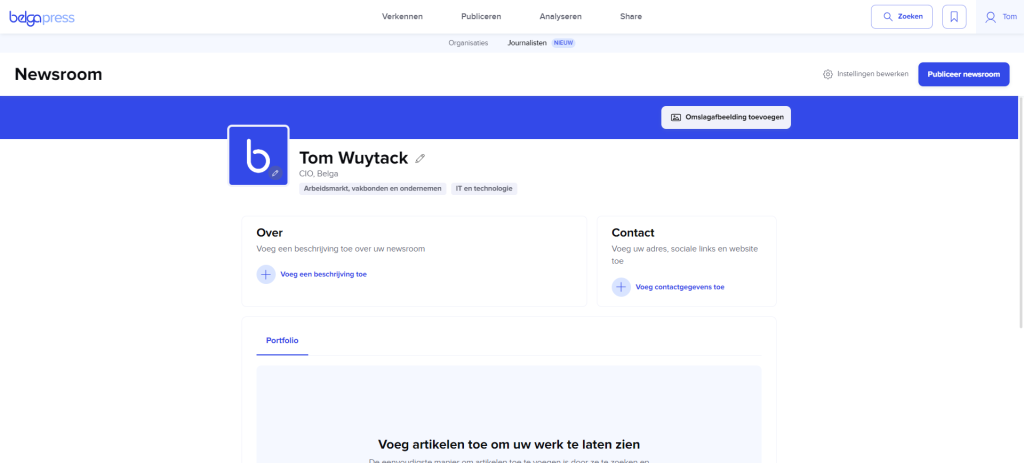
Populating your newsroom
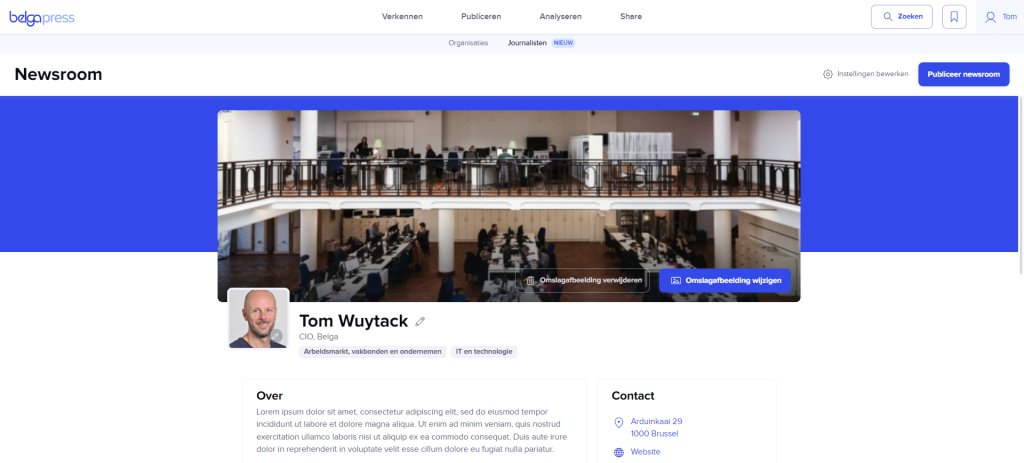
Start by filling in the ‘About’ section and adding contact details on the right. This could be your email or postal address, as well as your phone number, website link, or social media accounts. If you aren’t happy with the default branding, you can customize it here. We recommend replacing the logo with your own photo (or avatar) to make yourself more recognizable. You can also add a cover image if you wish.
You can also change your newsroom’s name here. Please note: this does not affect how you appear in general search results.
Once you feel your newsroom is ready for the general public and belga.press users, you can publish it (using the button in the top right corner). At that point, other belga.press users will be able to see you as a journalist or expert via the Kiosk -> Newsrooms section (under the ‘Journalists’ tab).
Portfolio
Add relevant belga.press reports to your newsroom here. You can add any article from sources you have access to.
You can add articles in two ways: directly from an article (e.g., after a search) or via labels.
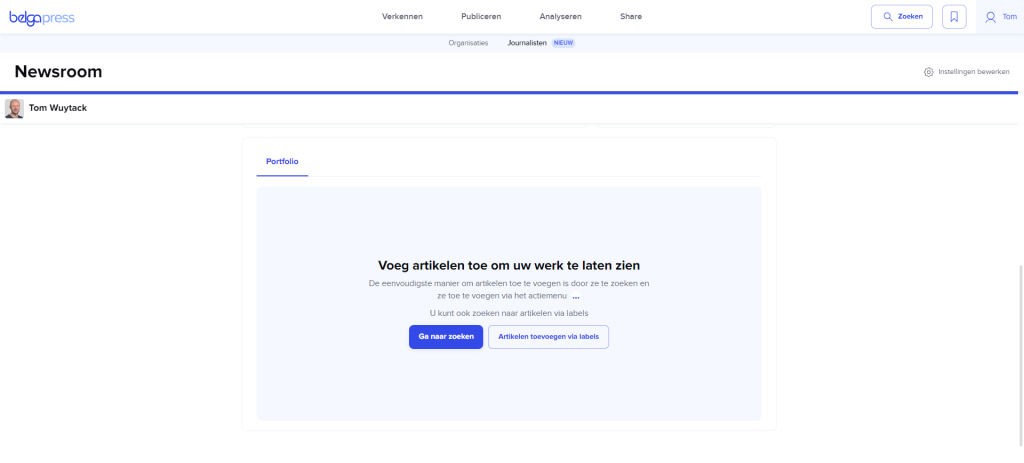
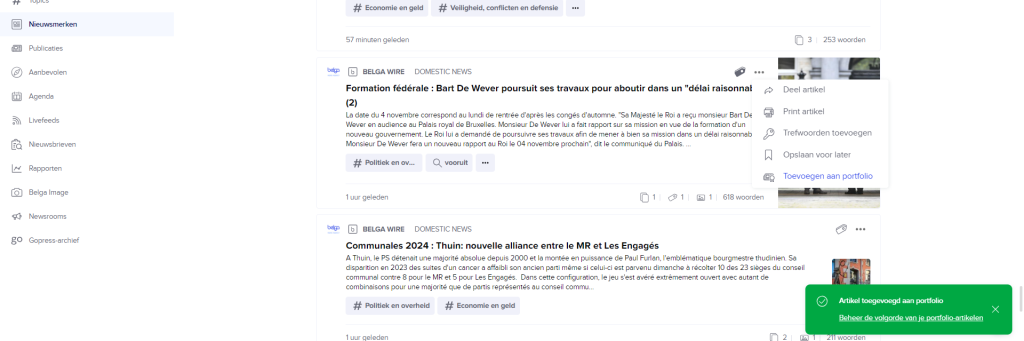
The direct method is the simplest. Found a relevant article? Click the three dots and select ‘add to my portfolio’.
If you aren’t familiar with working with labels, you can read more about it here in the knowledge base. Once an item is labeled, you can add it to your newsroom under that label.
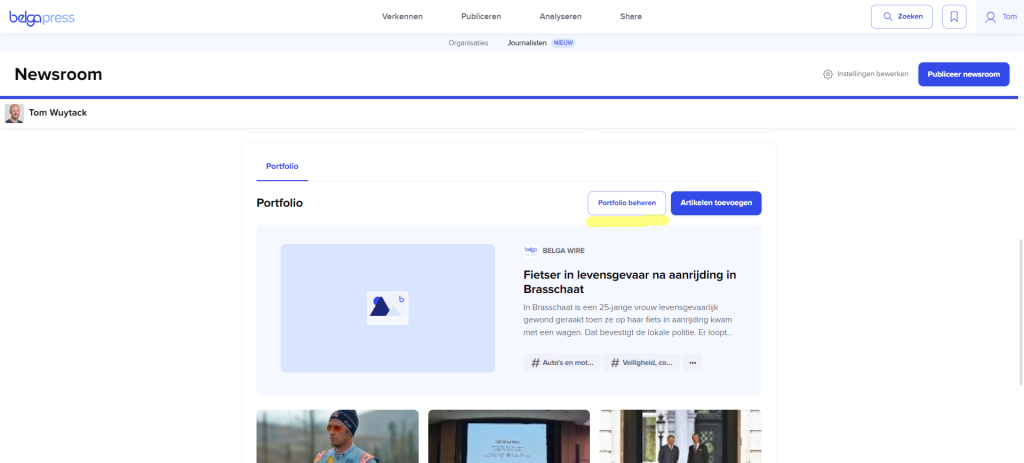
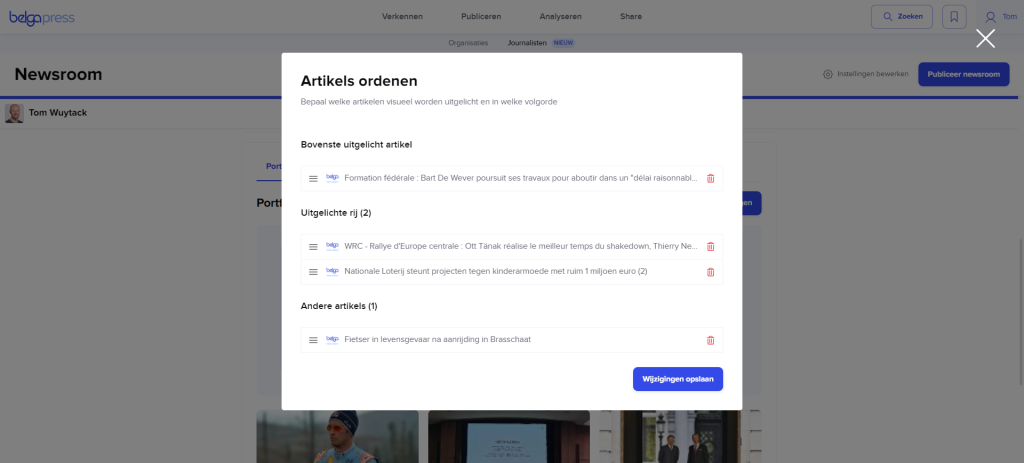
After adding one or more articles, you can also change their order right away. To do this, click ‘Manage your portfolio’ and adjust the sequence by dragging and dropping the articles. You can also easily remove articles. Save your changes.
Other users within belga.press can view each item at least in snippet form. Those with a full subscription (including all government users and journalists) can view the complete content of each selected article.
Managing a newsroom
You can modify your newsroom’s general settings at any time via the ‘Edit settings’ option in the top right corner. Here, for example, you can change the branding, update your role, or add and remove topics. You can also delete your newsroom entirely; once deleted, it will no longer be visible to the end user.
Your newsroom within belga.press
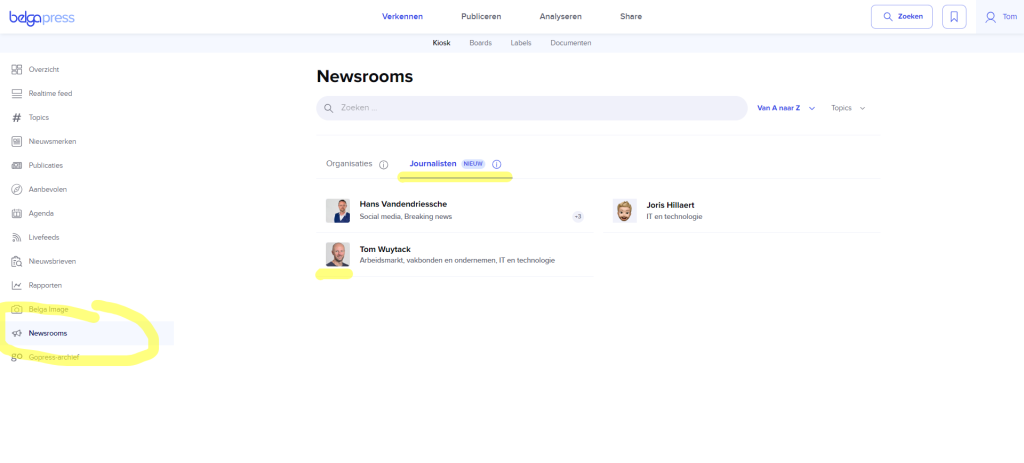
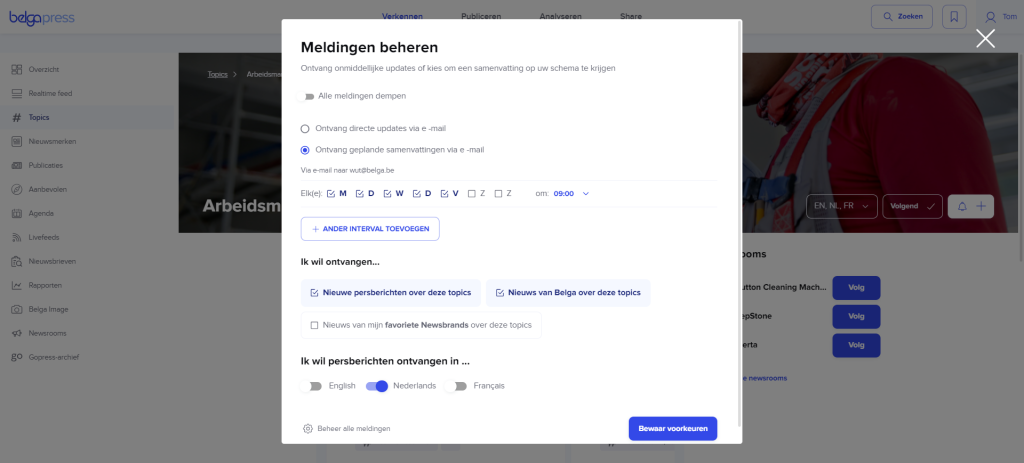
Congratulations! Your newsroom is now active within belga.press. Users can easily find you via Kiosk > Newsrooms > Journalists, add you to their contact list, or invite you to follow their newsroom. At a later stage—similar to an organization-type newsroom—you will also be able to be followed. Users will then be able to set up alerts for articles you write on specific topics.
Getting started with topics
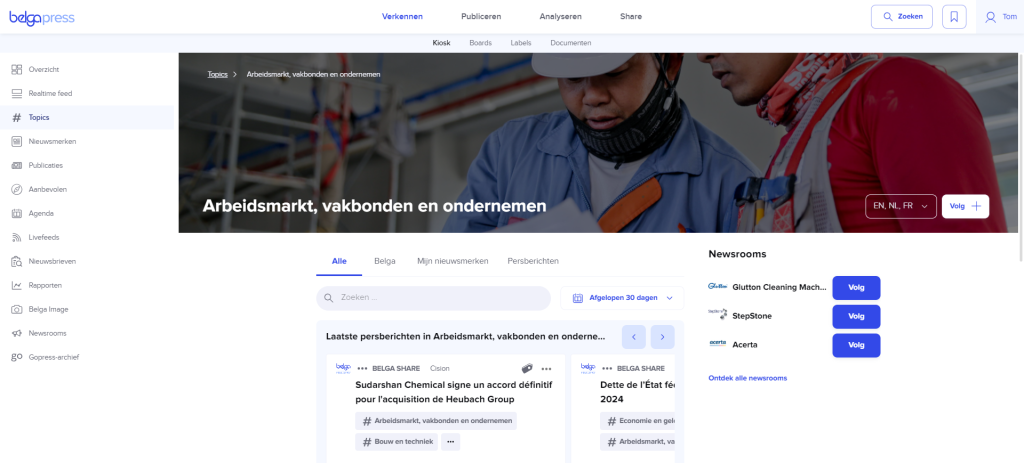
You may already be familiar with them, but just in case… Topics allow you to receive highly targeted news or follow specific newsrooms. Read more here.
What’s next?
The above is just a taste of much more to come (launching late 2024 / first quarter of 2025!)
You will soon receive press releases directly in your inbox. A handy summary helps you quickly determine whether the content is relevant for you to explore further. You’ll also get the contact person’s details right away.
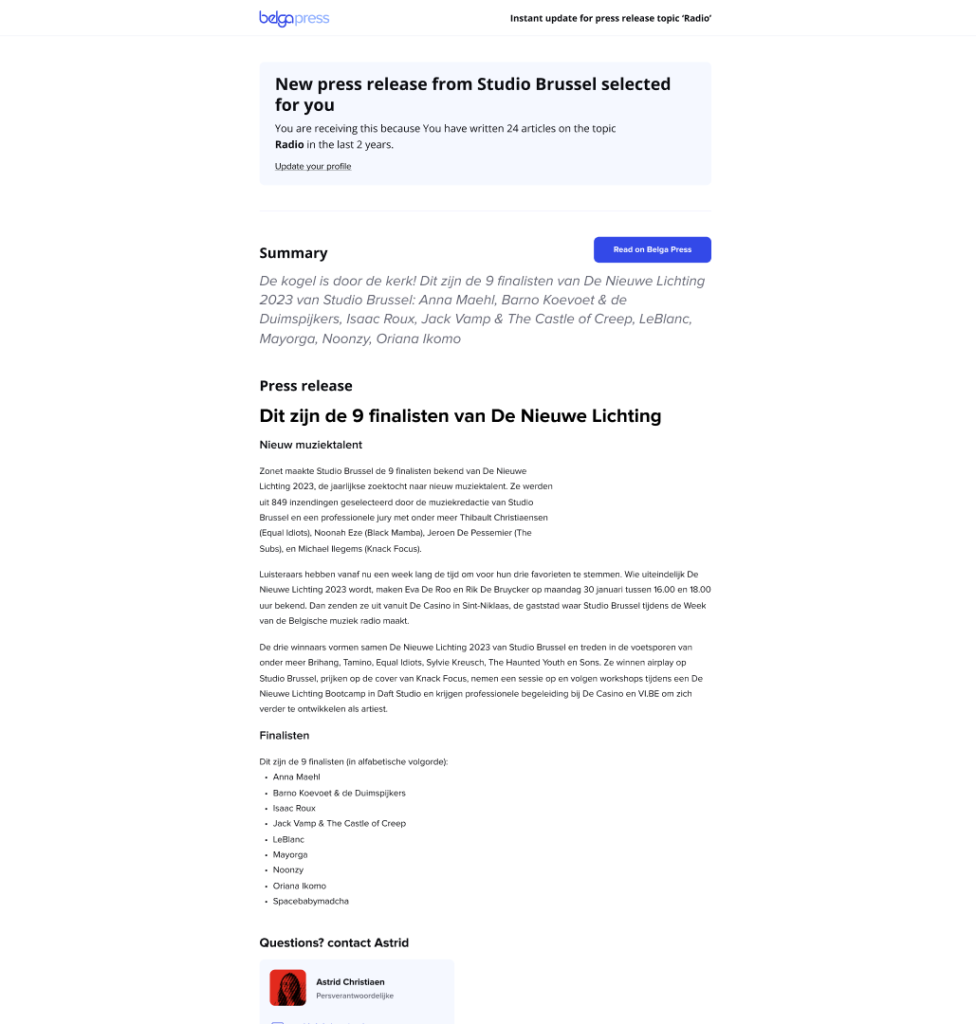
Interested in more? Click to view the press release on Belga.press and get up to speed instantly!
A convenient screen gives you immediate access to the right contacts, lets you know if the story has already been picked up, and shows you relevant entities to explore further at a glance.
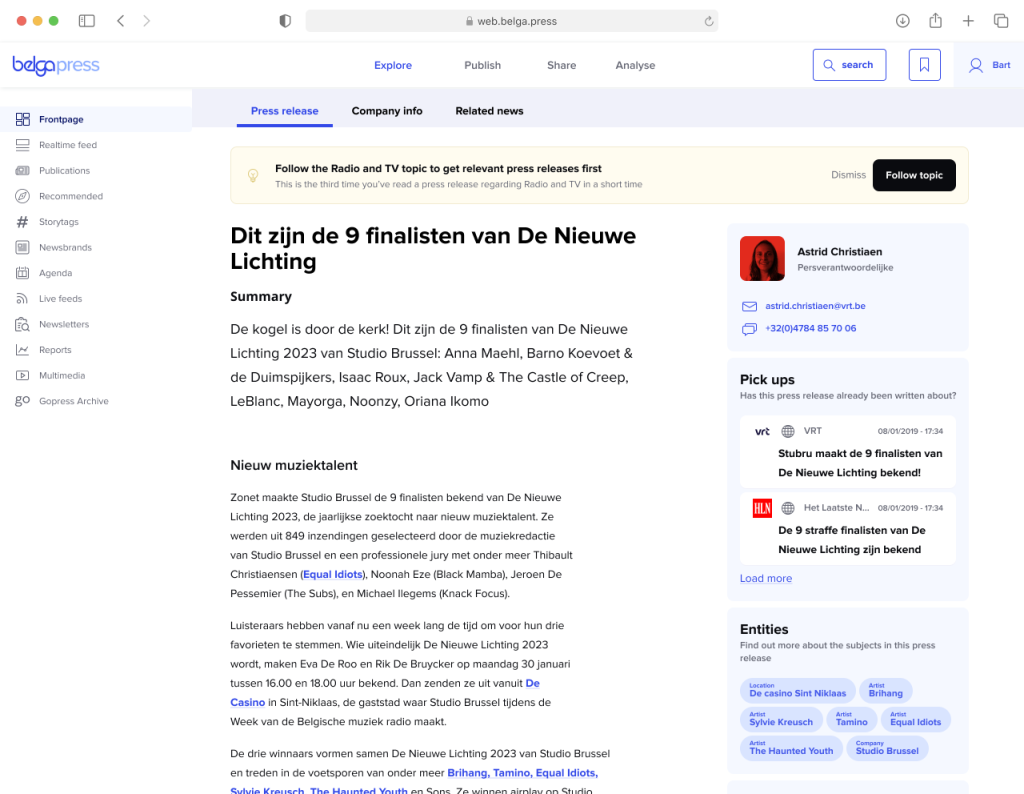
You can take this idea of ”digging” literally, as we immediately give you a look at the entire Belga arsenal: linked contacts, a brief summary, related news (text, photos, video…), and much more. Thanks to our integrated analysis tool, you also gain valuable insight into the organization or person behind the press release!
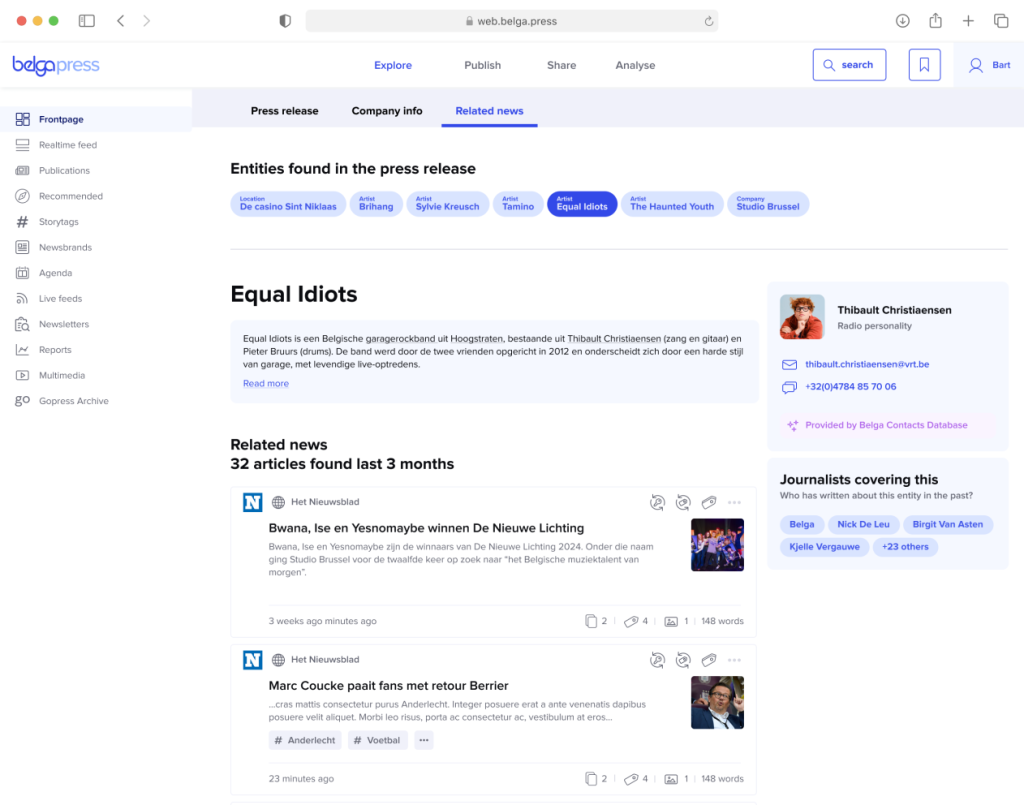
We are also working on automatically identifying the author of every incoming message. This gives you greater visibility within the belga.press platform and increases your chances of catching the eye of the right press contacts.

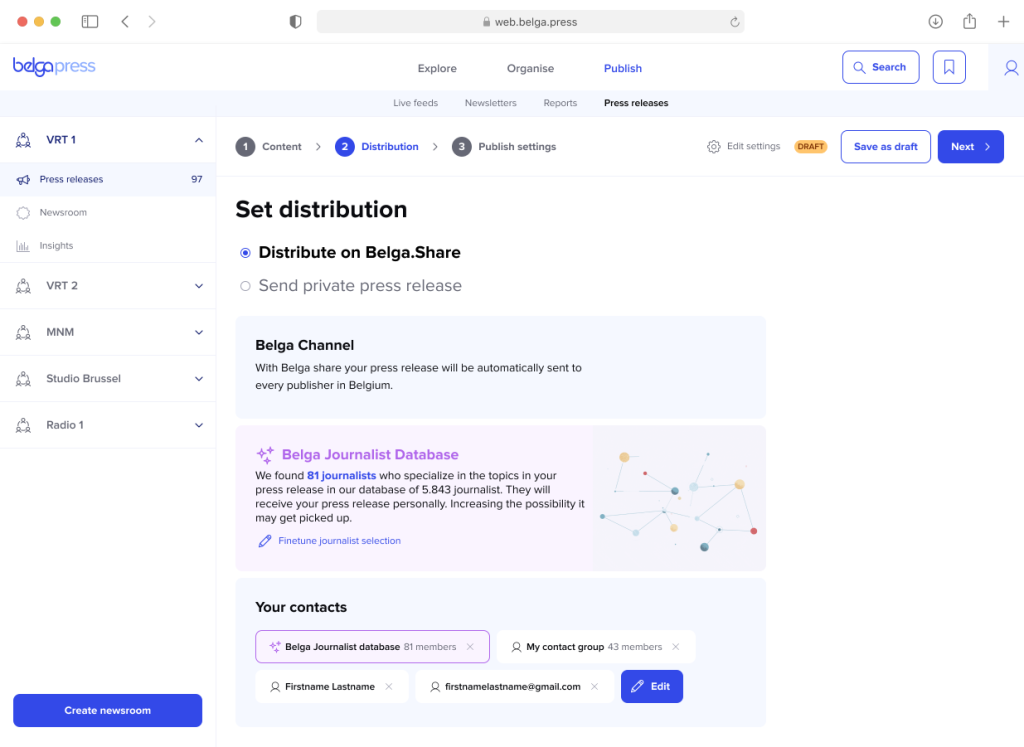
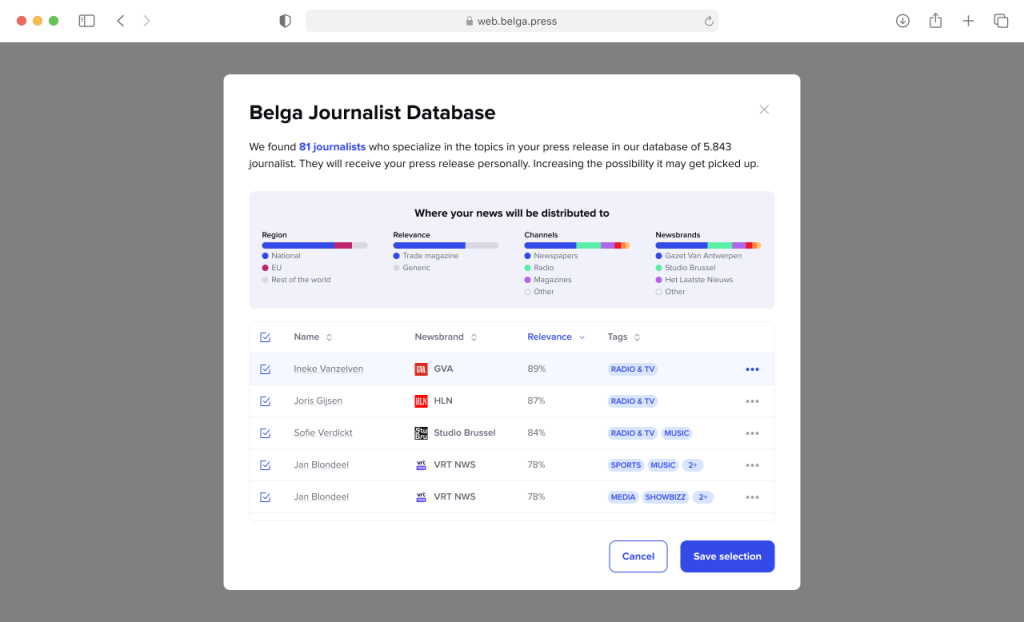
This can also be done via our optimized distribution module, which intelligently communicates your interests to those actively sending out press releases.