
This post is (also) available in: NederlandsFrançais
Sharing and saving articles effortlessly
How can I quickly share an article?
All Belga.press content can be shared via social media, messaging, or email with anyone who has a login for the platform. To do so, use the ‘share’ function found at the top of each article detail, in the preview within article lists, or via the multi-select option.
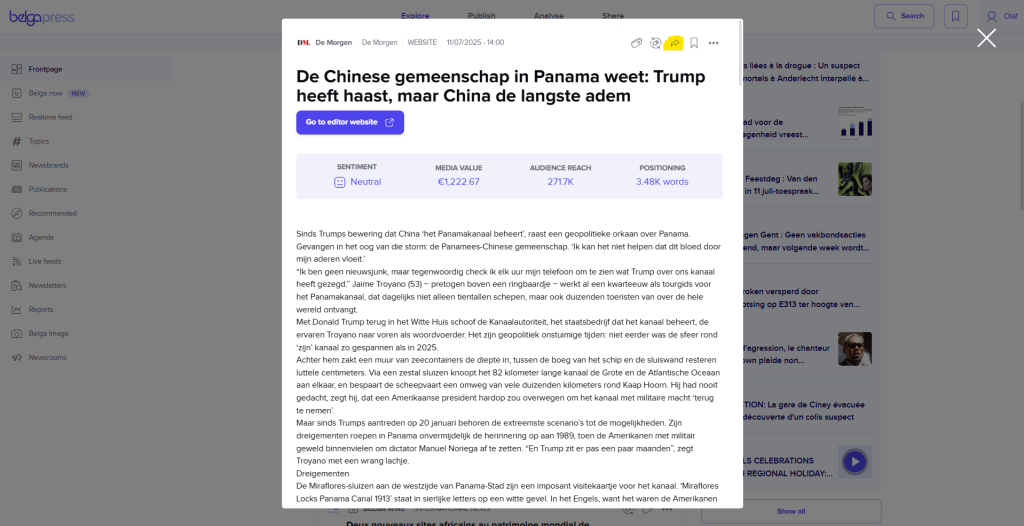
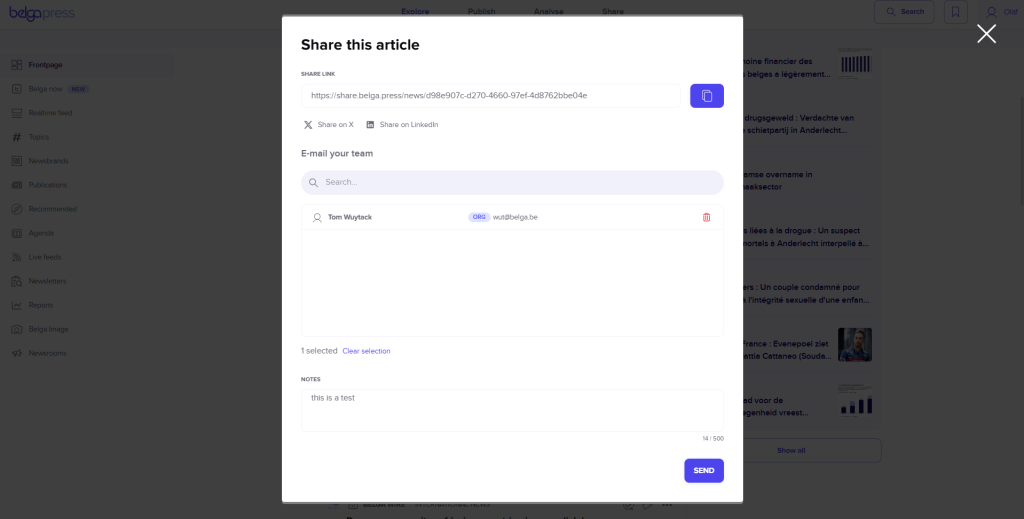
Please note: You can never share the full content of a message directly. Similar to other news apps, we only display a short snippet. The full content of the article can only be read within the app (or on a dedicated web page if the app is not yet installed). We automatically include the link to that page for you. You cannot share with contact groups, but you can share with multiple individual recipients.
How many articles can I share?
There is no limit on sharing. You can also share with non-Belga.press users, but be aware that the recipient can only read 1 item per source in full per month. The recipient will be required to create a Belga-account.
How can I save an article?
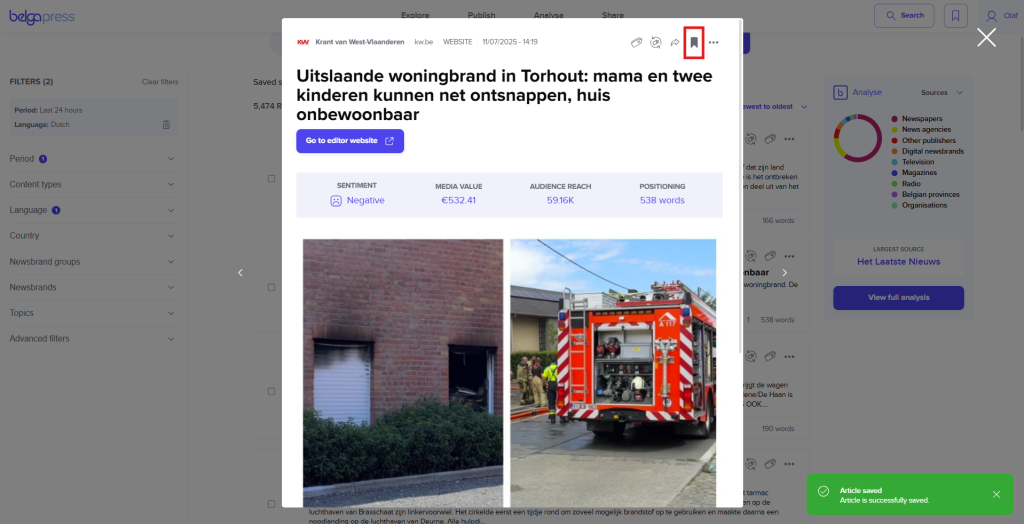
You can save any article in Belga.press for later. You can find this function at the top of every article, in the preview within article lists, or after using multi-select. Every saved article is added to your ‘saved items’ list, which you can find in the top menu bar.
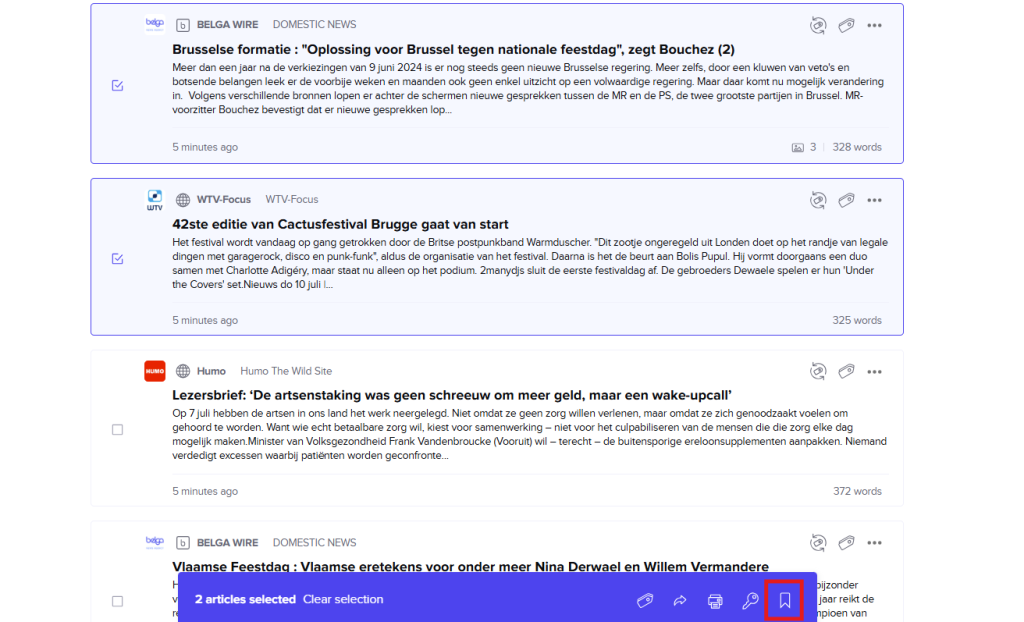
By default, the filter is set to ‘whenever’, but you can adjust this to your preference. You can also search within your saved items and use the ‘select all articles on page’ option to select them all at once for further use.
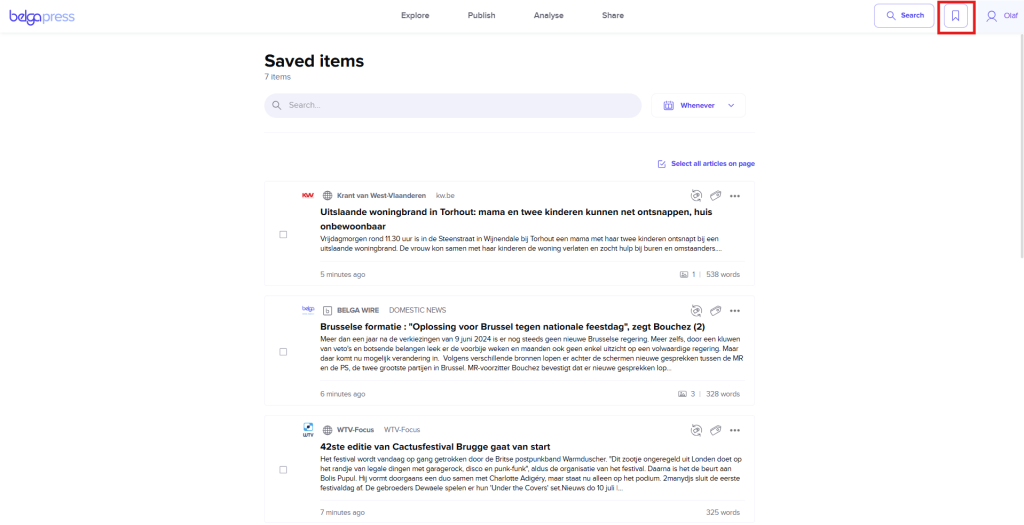
The native app and the web version are synced, meaning any favorite items saved via the native app will also appear in the web version and vice versa.